
Эта статья подходит для:
Archer C2300 , Archer C5400 , Archer C4000 , Archer A20 , Archer AX50 , Archer AX11000 , Archer GX90 , Archer C2700 , Archer AX6000 , Archer C5400X
В этом руководстве описывается, какие антивирусные функции, работающие на базе Trend Micro, доступны в роутере TP-Link с поддержкой HomeCare, как отключить / включить их с помощью приложения TP-Link Tether.
Фильтр вредоносного контента:
Блокирует вредоносные веб-сайты, указанные в базе данных Trend Micro.
Система предотвращения вторжений:
Защищает систему и приложения от внешних атак и устраняет уязвимости благодаря обнаружению и предотвращению известных и неизвестных атак, уязвимостей «нулевого дня», которые заражают другие сети по всему миру.
Карантин для зараженных устройств:
Не позволяет зараженным устройствам рассылать конфиденциальные данные или угрозы безопасности клиентам вне вашей сети. Кроме того, функция защищает вашу внутреннюю сеть от последующих угроз, в то время как выполняется очистка заражённой системы.
История:
Ведёт учёт устройств, которые были успешно защищены антивирусным программным обеспечением, а также источник и классификацию атак.
*Примечание: пожалуйста, подключитесь к беспроводной сети роутера, прежде чем следовать этому руководству.
Шаг 1: Откройте приложение TP-Link Tether.

* Примечание: Для использования функций HomeCare требуется Tether v 2.10 или выше.
Шаг 2: В левом верхнем углу нажмите кнопку в виде 3х линий

Шаг 3: Нажмите на иконку TP-Link ID.

Шаг 4: Войдите в свою учетную запись TP-Link Cloud или зарегистрируйтесь, если у вас ее еще нет. Нажмите здесь, если вам нужна помощь в настройке учетной записи TP-Link Cloud.

Шаг 5: После входа в систему коснитесь иконки роутера.

Шаг 6: Нажмите на HomeCare в нижней части экрана.

Шаг 7: Нажмите на иконку Антивирус .

Шаг 8: Переместите ползунки, чтобы включить или выключить нужную Вам службу.

Шаг 9: В правом верхнем углу нажмите на кнопку Страница.

Шаг 10: Здесь вы можете просмотреть Историю уведомлений

Был ли этот FAQ полезен?
Ваш отзыв поможет нам улучшить работу сайта.
Что вам не понравилось в этой статье?
- Недоволен продуктом
- Слишком сложно
- Неверный заголовок
- Не относится к моей проблеме
- Слишком туманное объяснение
- Другое
Как мы можем это улучшить?
Спасибо
Спасибо за обращение
Нажмите здесь, чтобы связаться с технической поддержкой TP-Link.
Безопасность всей семьи
с защищённым интернетом
Система защиты HomeCareTM
-
Что обеспечивает
HomeCare? -
Преимущества
HomeCare
Что такое HomeCare TM?
TP-Link HomeCare TM работает на технологии компании Trend Micro TM и предлагает набор функций, который поможет создать персонализированную безопасную сеть для всей семьи. В него входит антивирус, родительский контроль и приоритизация трафика (QoS).
-
Родительский контроль
Если нужно заблокировать непристойный контент, установить дневные ограничения на проводимое в сети время, узнать, какие сайты посещают ваши дети или просто приостановить работу интернета, всё это можно сделать с помощью родительского контроля через приложение.
-
Приоритизация
Приоритизация (QoS) позволяет установить приоритет для устройств или задач в сети. Всего за несколько нажатий мы сможете сделать свой ноутбук или просмотр онлайн-фильма первым в очереди на трафик Wi-Fi или Ethernet.
-
Антивирус
Каждое устройство выходит в интернет через роутер, в том числе устройства, у которых обычно нет собственных средств защиты от киберугроз. HomeCare TM — это полноценный антивирус, который защитит как роутер, так и все подключённые к нему устройства.
Адаптивный антивирус
Для защиты от эволюционирующих кибер-угроз необходима динамическая система безопасности. HomeCare позволяет фильтровать вредоносный контент, защищать от проникновений в домашнюю сеть и держать в карантине инфицированные устройства. Активная база данных защищает подключённые устройства от 250 миллионов угроз. Защитите устройства и личную информацию от нежелательного доступа вместе с HomeCare.
-
Блокировка вредоносных сайтов
-
Защита от проникновения в сеть
-
Карантин инфицированных устройств
-
Как только в интернете появляется новый вредоносный URL, он попадает в базу HomeCare в течение 15 минут, после чего доступ к нему становится ограничен.
-
HomeCare защищает ваши Wi-Fi роутеры, компьютеры, смартфоны, Wi-Fi камеры и умные замки от более чем 100 тысяч новых угроз, появляющихся ежедневно.
-
HomeCare автоматически добавляет в карантин инфицированные устройства, которые он обнаруживает в сети, защищая личные данные и не позволяя вирусам распространяться.
Мощный родительский контроль
Простой и понятный родительский контроль обеспечит безопасность вашим детям, когда они в онлайне.
Включено в HomeCare:
-
Пользовательские профили:
Создайте удобный профиль для каждого члена семьи и настройте расписание или ограничения. Добавьте устройства к профилям, чтобы правила распространялись на все устройства члена семьи.
-
Уровни фильтрации
-
Ограничения по времени
-
Осведомлённость
Приоритизация трафика устройств (QoS)
Приоритизация трафика позволяет настраивать пропускную способность для самых часто используемых устройств. Простые настройки позволят выбирать приоритет между потоковым видео, играми, работой в интернете или видеоконференциями.
Приоритет приложений
Оптимизируйте работу сети, назначая приоритеты для наиболее важных задач: онлайн-игр, потокового видео и работы в интернете — наслаждайтесь любимыми делами «без тормозов».
Режим онлайн-игр
Режим стриминга
- Онлайн-игры
- Стриминг
- Чаты
- Веб-страницы
- Загрузка файлов
- Высокий
- Средний
- Низкий
- Откл.
Приоритет устройств
Выберите, какие устройства всегда будут иметь самые быстрые подключения или назначьте приоритет устройствам для различного времени суток.
Вовин
Mac
303 Мбит/с↑
179 Мбит/с↓
Юлин iPhone
139 Мбит/с↑
55 Мбит/с↓
Катин
телик
252 Мбит/с↑
100 Мбит/с↓
Яшин iPad
214 Мбит/с↑
91 Мбит/с↓
Сравнительная таблица
| TP-Link HomeCare TM | Netgear Orbi | Google Wifi | Eero | Luma | |
|---|---|---|---|---|---|
| Профиль пользователя | ✓ | ✓ | ✓ | ✓ | ✓ |
| Фильтрация контента | ✓ | ✓ | × | В премиум-версии | ✓ |
| Блокировка сайтов | ✓ | ✓ | ✓ | × | × |
| Блокировка устройств | ✓ | ✓ | × | ✓ | ✓ |
| Приостановка интернета | ✓ | ✓ | ✓ | ✓ | ✓ |
| Расписание | ✓ | В премиум-версии | ✓ | ✓ | ✓ |
| Ограничения по времени | ✓ | В премиум-версии | × | × | ✓ |
| Информация о входе | ✓ | ✓ | × | × | × |
| Мониторинг использования | ✓ | В премиум-версии | ✓ | ✓ | ✓ |
| Межсетевой экран | ✓ | ✓ | ✓ | ✓ | ✓ |
| Антивирус | ✓ | × | × | В премиум-версии | В премиум-версии |
| QoS для устройств | ✓ | × | ✓ | × | ✓ |
| QoS для задач | ✓ | × | × | × | × |
| Бесплатный доступ | Всегда | 1 месяц | Без ограничений | 1 месяц | 1 месяц |
| Стоимость | $0 | $4,99 в месяц | $0 | $99 в год либо $9,99 в месяц |
$5 в месяц |
Статистика актуальна по состоянию на июль 2020 года. В зависимости от дальнейших обновлений ПО и политик функционал может отличаться.
Поддерживаемые модели
- Категория
- Все Wi-Fi роутеры
- Deco
Все Wi-Fi роутеры
-

Archer AX11000 V1
AX11000 Трёхдиапазонный игровой Wi‑Fi 6 роутер
-
Archer AX6000 V1
Двухдиапазонный гигабитный Wi‑Fi роутер AX6000
-
Archer AX50 V1
Двухдиапазонный гигабитный Wi‑Fi роутер AX3000
-
Archer C5400X V1
AC5400 Трёхдиапазонный игровой MU‑MIMO роутер
-
Archer C4000 V3
AC4000 Трёхдиапазонный MU‑MIMO гигабитный Wi‑Fi роутер
-
Archer C2300 V2
AC2300 MU-MIMO Wi-Fi гигабитный роутер
-
Archer C5400 V1
AC5400 Трёхдиапазонный MU-MIMO гигабитный Wi-Fi роутер
-
Archer C3150 V2
АС3150 MU-MIMO Wi-Fi гигабитный роутер


&AX50_1.0_F_package_normal_1585140434822h.png)


Показать все 8 Все Wi-Fi роутеры
Deco
-
Deco X60 V1/V2
AX3000 Домашняя Mesh Wi-Fi система
-
Deco X20 V1/V1.20/V2
AX1800 Домашняя Mesh Wi-Fi система
-
Deco M9 Plus V1/V2
AC2200 Mesh Wi-Fi система для умного дома
-
Deco M5 V1/V2/V3
Mesh-модуль AC1300
-
Deco M1300 V1 (3-pack)
Mesh Wi-Fi система для умного дома
-
Deco P7 V1
AC1300+AV600 Домашняя гибридная Mesh Wi-Fi система


_normal_20230201015039y.png)
HomeCare у вас на ладони
Создайте персонализированные настройки сети для каждого
члена семьи через приложение Deco или Tether либо браузер.

Для работы проектов iXBT.com нужны файлы cookie и сервисы аналитики.
Продолжая посещать сайты проектов вы соглашаетесь с нашей
Политикой в отношении файлов cookie
Wi-Fi роутеры – устройства, обеспечивающие беспроводное подключение к интернету для различных девайсов в доме или офисе. Однако они так же как и другие устройства могут стать целью для злоумышленников. В этой статье я расскажу о том, как вирус может попасть в Wi-Fi роутер, чем это грозит пользователю, как его обнаружить и как избавиться.
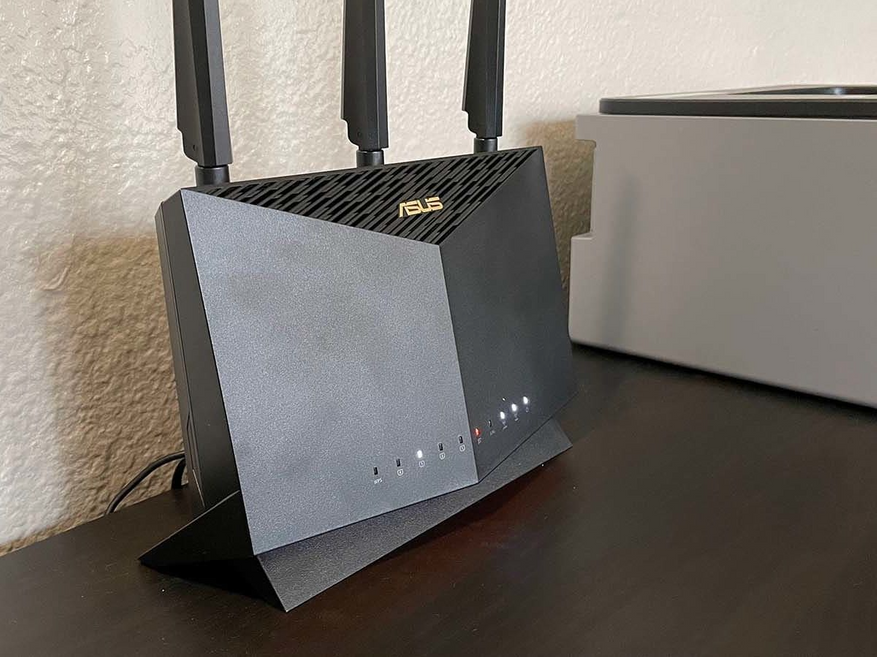
Вирус может попасть в Wi-Fi роутер несколькими способами:
- Уязвимости в программном обеспечении. Если роутер не обновляется и использует устаревшее программное обеспечение, то злоумышленники могут использовать уязвимости в этом ПО, чтобы получить доступ к роутеру и заразить его вирусом.
- Пароль. Если пароль на роутере очень простой, то злоумышленники могут легко подобрать его и получить доступ к роутеру, всячески настраивая его и загружая туда вредоносные программы. Это касается не только пароля сети, но и пароля панели администратора.
- Фишинг. Злоумышленники могут отправлять фишинговые сообщения по электронной почте или через социальные сети, которые выглядят как легитимные. Там пользователей просят предоставить свои данные для входа в различные сервисы, в том числе и панель роутера.. Это может привести к тому, что злоумышленники получат доступ и заразят маршрутизатор вирусом.

Зараженный вирусом роутер может привести к серьезным последствиям. Вот некоторые из них:
- Утечка личных данных. Вирус может перехватывать данные, передаваемые через роутер, включая данные о банковских картах, паролях, персональной информации и т.д.
- Спам. Заражённый роутер может использоваться злоумышленниками для отправки спама.
- Доступ к устройствам в сети. Злоумышленники могут получить доступ к устройствам в вашей сети, таким как компьютеры, принтеры и другая техника, и использовать их для своих целей.
- Замедление работы сети. Зараженный роутер может использовать значительную часть ресурсов сети, что приведет к замедлению работы и ухудшению качества подключения к интернету.

Обычно пользователь не сразу понимает, что возникшие проблемы связаны именно с маршрутизатором. Однако, есть несколько признаков, которые могут указывать на наличие проблемы:
- Неожиданно низкая скорость интернета или проблемы с подключением.
- Появление непонятных сообщений веб-браузера, таких, как предупреждения о безопасности, рекламные баннеры и т.д.
- Необычная активность на роутере, такая, как неожиданное изменение настроек или появление новых устройств в списке подключенных.

Если вы заметили один из таких признаков, сразу же проверьте свой компьютер, ноутбук телефон или другое устройство, с которого вы выходите в интернет, на наличие вирусов. Чаще всего проблема именно в устройстве. Если вы уверены в «чистоте» своего девайса, а «симптомы» вируса проявляются на всех остальных гаджетах, то вредоносное ПО вероятно кроется в маршрутизаторе. Пора срочно переходить к процессу его удаления.
Удаление вируса с роутера может требовать обширных знаний и опыта, так как у разных программ свои свойства и особенности. Лучшее, что вы можете сделать в таком случае – вызвать мастера. Но если решили устранять неполадки самостоятельно, то вот несколько шагов, которые помогут справиться в большинстве случаев:
- Проверьте все подключенные устройства на наличие вирусов и других вредоносных программ.
- Сбросьте настройки роутера до заводских установок и настройте его заново. Обычно это делается зажатием клавиши Reset на 15 секунд.
- Смените пароль (как панели, так и сети) на более сложный и надежный.
- Обновите прошивку роутера до последней версии. Универсальной инструкции здесь нет. Вам нужно зайти в лицевую панель маршрутизатора (адрес указывается на самом устройстве) и загрузить подходящую версию ПО, которая рекомендована на сайте производителя.
- Используйте антивирусное ПО для проверки вашей сети на наличие вирусов и других вредоносных программ.
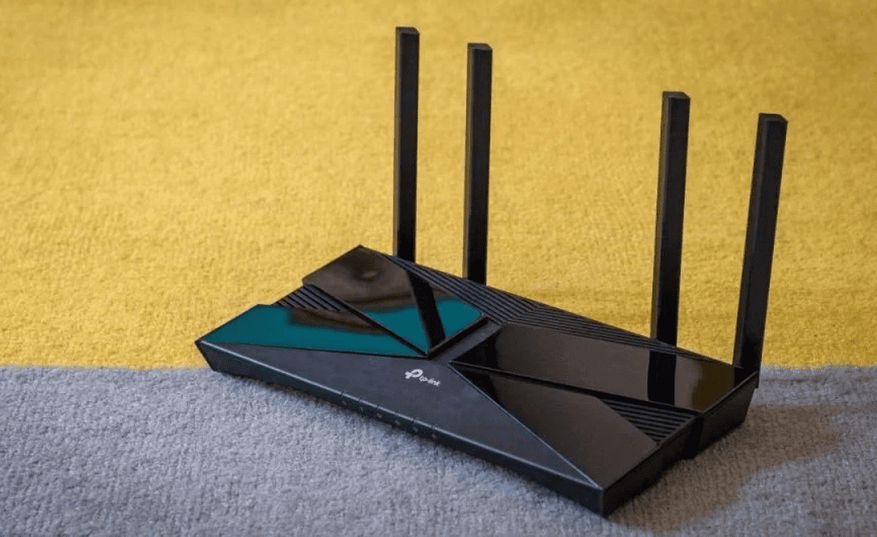
Лучший способ борьбы с любым вирусом – его своевременная профилактика. По этой причине я составил небольшую памятку, следование которой поможет сохранить ваш роутер и другие устройства в безопасности.
- Регулярно обновляйте прошивку роутера до последней версии.
- Используйте надежные пароли, которые сложно угадать или подобрать.
- Избегайте открытых сетей Wi-Fi и не подключайтесь к ним без необходимости. В крайнем случае используйте VPN с функцией шифрования трафика.
- Не отвечайте на фишинговые сообщения и не предоставляйте личные данные, если вы не уверены, что это легитимный запрос. Всегда проверяйте адреса и названия ссылок.
- Используйте антивирусное ПО для защиты своих устройств и сети в целом.
- Проверьте все подключенные устройства на наличие вирусов и других вредоносных программ перед подключением к сети.
Ограничьте доступ к административной панели роутера и используйте сложные пароли для ее входа. По умолчанию логин и пароль большинства панелей состоит из слова «admin». Если злоумышленники получат доступ к вашей сети, то перенастроить её в таком случае не составит труда.
Вирусы в роутерах могут представлять серьезную угрозу для безопасности вашей сети и личной информации. Поэтому необходимо принимать меры для защиты и следовать рекомендациям по обеспечению её безопасности. Надеюсь данный материал вам в этом поможет.
Для тех, кто ищет достойный робот-пылесос, рекомендую посмотреть нашу подборку: Выбираем устройства для уборки дома: 6 робот-пылесосов с построением карты. Для подарка близким — как вариант.
Сейчас на главной
Новости
Публикации
Тепловизор Xinfrared XH09 (X2) позиционируется продавцом именно как поисковый прибор, который в связке с вашим смартфоном позволит найти животное в любом месте и в любое время на дистанции до 500…

Знали ли вы, что акустические колонки гораздо чаще покупают мужчины? Даже не просто чаще, а в 90 % случаев. Исходя из этих знаний, бренд ELTRONIC создал новую серию небольших по размеру…
Сегодня на обзоре компьютерный корпус XPG CRUISER, предназначенный для мощных игровых сборок. Бренд XPG принадлежит компании ADATA, и думаю, что известен многим, а само выделение в отдельный бренд…

Бактерии — это одни из самых распространенных и простых живых организмов на Земле. Они состоят из одной клетки, которая не имеет ядра и других сложных структур. Однако это не значит,…

Многие считают туалет эпицентром
бактерий в доме. Однако, как оказалось, есть предметы и места, которые куда
более загрязненные. Мы активно используем чистящие средства для уборки туалета,
в то…

Чайником Polaris PWK 1753CGL Brilliant Collection я активно пользуюсь дома уже около года, а когда речь зашла о чайнике на дачу — решил немного сэкономить и заказал Scarlett SC-EK27G70….
Pick one of the solution proposed and safeguard your home network
by Milan Stanojevic
Milan has been enthusiastic about technology ever since his childhood days, and this led him to take interest in all PC-related technologies. He’s a PC enthusiast and he… read more
Updated on
- Router protection is essential for keeping the home network safe, so make sure to use the best router antivirus.
- An antivirus for your router will make sure that no malicious source gets past the security shield.
- We gathered the best security solutions that help prevent, block, and remove router viruses and malware.
You have to use proper router antivirus protection to secure all Wi-Fi-connected devices. Wireless networks have obvious benefits, but they are also subject to serious vulnerabilities.
Threats today not only attack your devices but are increasingly targeting routers as well.
There are numerous reports worldwide about people not being able to connect to their Internet. Cybercriminals attacked their routers due to identified vulnerabilities in the same.
The router security situation hasn’t improved in the last two years. More and more instances of routers used to carry out attacks are being witnessed and felt across the globe.
This just shows how big an issue it is when a router is not secured. Attackers hack into other devices once they gain access to the router. They use your bandwidth and access your data.
To fight this menace, you need the best antivirus for router protection. We have some of the top picks you can choose from right here.
Do routers have antivirus?
For the time being, routers do not come with any type of pre-installed independent antivirus. All network security hardware and tools are connected to a central device like a PC or phone.
Some manufacturers implement firewall options and offer applications that give you the possibility to check the status of your network.
These can help block suspicious devices from connecting to your network and detect vulnerabilities. They may not be enough when it comes to serious malware attacks, though.
That being said, there are some essential things to take into consideration. There are ways to configure your Wi-Fi network for increased security.
One of the most important things is to set up a strong password. We recommend you follow current password guidelines to make sure it is not easy to guess. You can also use a password generator to help you.
It is also important to select an up-to-date security protocol. Most modern-day routers will automatically configure WPA2-AES or WPA3-AES encryption. They are the best according to cyber-experts.
Another thing you can do for more privacy is to install a VPN if you have a VPN-supporting router. The VPN reroutes traffic and hides your IP which makes you less likely to be tracked down by hackers.
Enabling firewall protection is also essential. You can use the in-built Windows Firewall or pick a third party.
Can routers get viruses?
Yes, your router can get infected with a virus. While not as common as other types of viruses, those that target your router can cause serious damage.
Given the fact that your router is responsible for directing your traffic data, all the devices you connect to it are at risk if you get a virus.
There are multiple types of malicious attacks targeted toward routers. Cyberattackers may compromise your devices so you will lose important data and damage your PC.
Routers can also fall victim to phishing attacks so hackers may get a hold of all the private information such as name, address, or bank information.
One of the most notorious routers malware is the VPNFilter which reportedly hacked over 500 000 devices worldwide. It steals data, changes DNS, and manages your network.
These types of advanced attackers cannot be removed with a simple reboot which is why we can’t stress enough the importance of adequate prevention.
Can you install an antivirus on a router?
Routers for personal computers have come a long way since their launch in the late 90s, but they are still pieces of hardware built to serve the primary function of directing your traffic and do not support antivirus.
There are some routers that include a firewall and are sold alongside a dedicated antivirus app, but that still require a central management device like a phone or PC.
Thankfully, you can certainly secure your router with reliable antivirus software. Not only do they include powerful Wi-Fi protection and strong firewalls, but many of the tools presented below have router scanning options.
Do I need antivirus protection for my router?
Yes. You need to make sure that you establish a secure connection so there’s no risk of getting private data leaked.
As already mentioned, cyber attackers are able to create router viruses that can cause serious damage. They can steal and sell your data and also compromise your devices forever.
Good antivirus software that has strong network protection features is able to:
✔️ Test for outdated or vulnerable firmware
✔️ Manage all devices connected to your router
How we test, review and rate?
We have worked for the past 6 months on building a new review system on how we produce content. Using it, we have subsequently redone most of our articles to provide actual hands-on expertise on the guides we made.
For more details you can read how we test, review, and rate at WindowsReport.
✔️ Detect weak network passwords
✔️ Block known network traffic threats
✔️ Identify changes in network patterns with machine learning
✔️ Remove viruses and malware and reconfigure your router
Having an antivirus installed on your network is still a smart idea. The built-in capabilities of the router will protect you against certain fundamental assaults, but not against all threats. Even if you don’t want your neighbors to use your Wi-Fi, you’ll be protecting yourself from more harmful snoops.
What’s the best antivirus for router protection?
It’s an important step to preserve all of the information those devices carry, especially now that so many homes are linked and numerous devices use Wi-Fi.
A few minutes spent selecting the proper home antivirus router protection can make a huge impact on how safe you are connected to the digital world.
- ESET Internet Security
- TotalAV
- Vipre Antivirus Plus
- Panda Security Essential
- F-Secure Sense
- Avast Free Antivirus
- Avira Free Security
- NETGEAR Orbi
- McAfee Home Network Security
Antiviruses are software built for computers and mobile devices that can give an extra layer of protection for routers. That is because they require constant updates and run powerful machine learning algorithms to detect day-one threats, which could not be done from a router.
ESET Internet Security – Richest set of network protection features
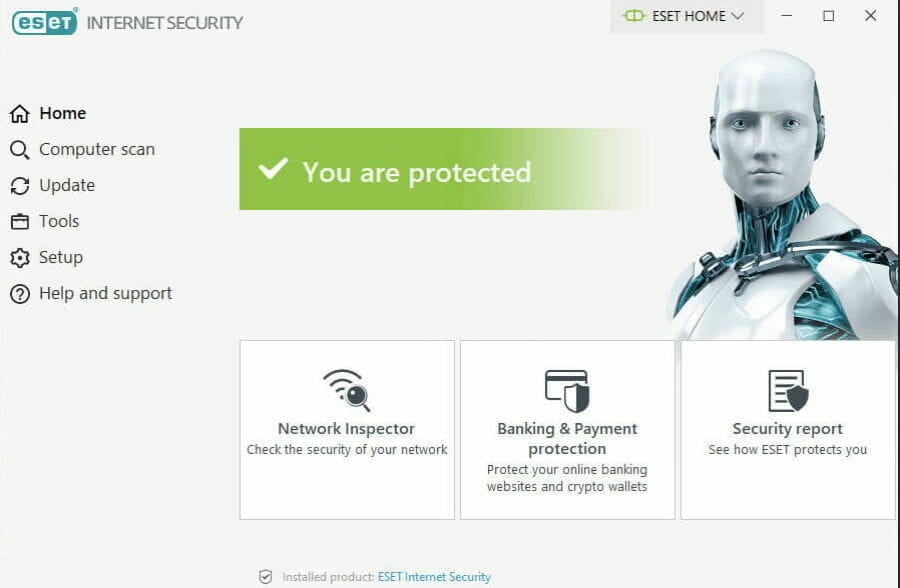
ESET Internet Security is an advanced solution with multi-layered security options for up to a single Windows, Andoird, Mac, or Linux device.
In all instances, it will keep your network security for the connected device and ensure a safe environment against malware, ransomware, and phishing attacks.
Banking operations are likewise secured and you’ll definitely love the silent updating system, with no annoying pop-ups while you play games or run a program in full-screen mode.
This tool integrates a nifty feature that is able to thoroughly analyze your Internet connection, hence your router.
It is called ESET Network inspector and you can use it to scan your router.
To do that, just open ESET and then click on Tools ⇒ Network Inspector. Click the Scan your network button and you are good to go.

ESET Internet Security
Get instant network protection and join the +100 million happy users of ESET’s award-winning technology.
TotalAV – Enhanced all-in-one protection
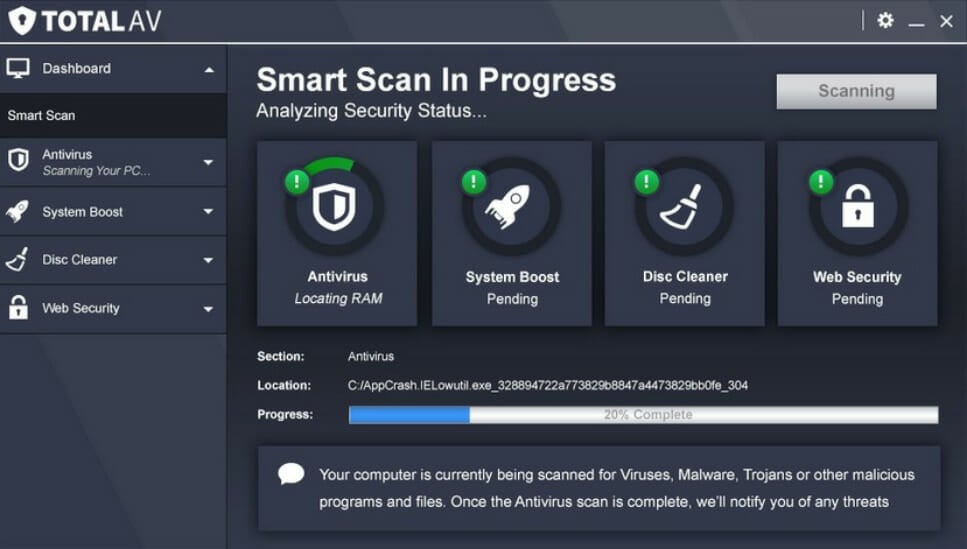
TotalAV is a premium antivirus program with a lot of great features and successful detection rates.
It provides multiple scanning options, such as System Scan which scans the whole system for malware, or Smart Scan which scans not only for malware but junk files and tracking cookies too.
It has a WebShield feature that is the first line of defense against scam, fake, and phishing sites that are created to harm your devices, compromise security or even steal personal data.
This feature continuously looks for potential cyber threats, blocking and intercepting them long before they can damage your PC.
Furthermore, it helps you stop intrusive trackers and take back control of your privacy and security, denying unwanted trackers from snooping on your data.
TotalAV eliminates irritating ads, pop-ups, and notifications that clog your screen on the pages you’re browsing. It also blocks in-play video ads.

TotalAV
Protect your personal information and block any online threats with this amazing antivirus program.
Vipre Antivirus Plus – Fast configuration and high detection accuracy
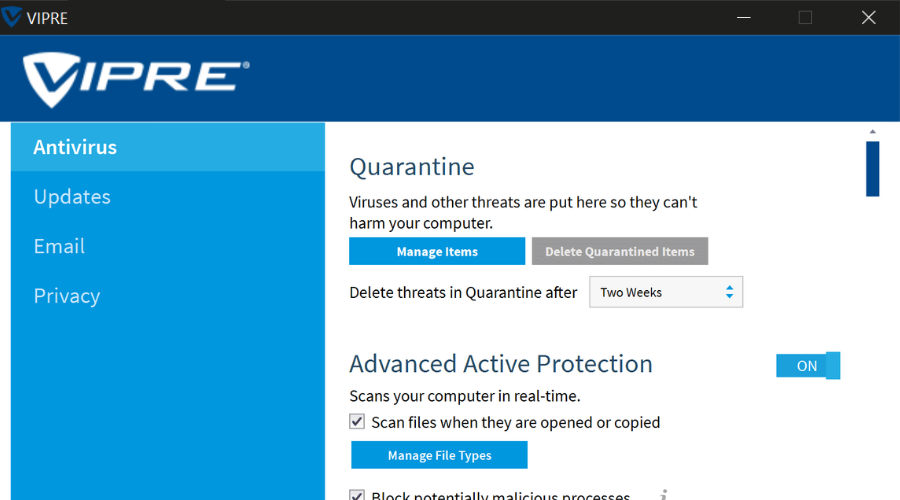
There are times when traditional, slow antivirus software solutions aren’t recommended for complete router protection. This is where Vipre steps in.
This is the antivirus that can keep you safe from computer viruses, ransomware, identity theft, and all other threats that you’re exposed to when surfing the Internet or using a router on a daily basis.
And if you happen to fear complicated procedures, rest assured that the preconfigured settings are more than enough, without any actions from your side.
Vipre is one of the most reliable antiviruses on the market with the fewest false positives. It is also very easy to set up and install, with an intuitive configuration.
Users of Vire can benefit from real-time threat intelligence and award-winning customer support.

Vipre Antivirus Plus
If you’re looking for the best antivirus for router protection, rest assured that Vipre is a great choice.
Dome Panda Security Essential – Easiest network management app
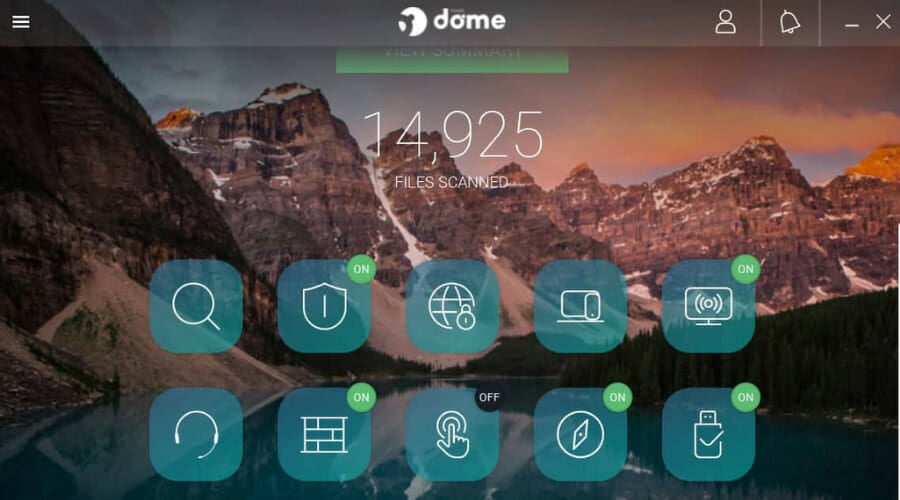
This antivirus for router protection secures your network using the Panda GateDefender Integra eSeries, a unified perimeter security device, for protection against any type of threats and is accessible from the cloud.
It provides complete protection at the Internet gateway, flexible connectivity, and management through a single and easy-to-use interface, plus it increases your business productivity.
Features include a firewall, antimalware, antispam, web and content filters, VPN, Hotspot, multiple connection technologies to access the Internet and corporate network, plus an Intrusion Prevention System to prevent intrusion attacks.
Not only that, but this antivirus also provides web filtering and has a built-in VPN to ensure you have a private connection.

Dome Panda Security Essential
Panda offers reliable router protection without slowing down your system. Ready to try it out?
F-Secure Sense – Best for securing smart homes
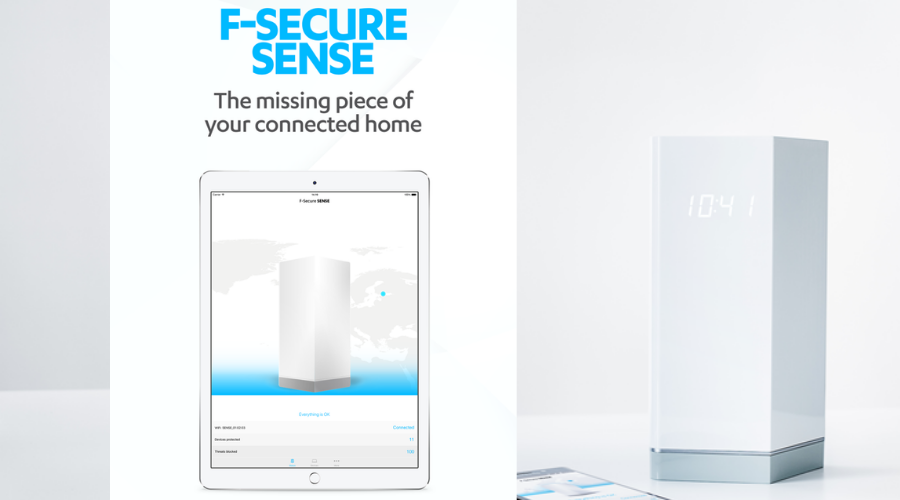
If you want to protect your home network, you might be interested in the F-Secure Sense router.
This device comes from a famous antivirus manufacturer, and it will provide you with fast Wi-Fi while protecting all devices on your network.
This router will block malicious websites and other threats automatically, so you won’t have to worry about the safety of your network.
In order to monitor your network, F-Secure SENSE comes with a dedicated app, so you can keep track of network security on your smartphone.
The dedicated app also works as a guide, and it will guide you through the setup process.
It’s worth mentioning that this router is optimized to protect your smart devices, so it’s perfect if you need to protect your TV, console, or smart home appliances.
In order to provide you with top-notch security, F-Secure SENSE is constantly updated with new features and security definitions, so your network will remain protected from the latest online threats.
F-Secure Sense is a great device, and it will be perfect for any home network, especially if you tend to use smart devices in your home.
This tool is able to protect and monitor all your devices with the help of the dedicated smartphone app. It’s easy to set up and optimized for smart devices and appliances.

F-Secure Sense
Protect and manage your network and all devices connected to it with this secure router and its dedicated app.
Avast Free Antivirus – Advanced network port scans and security
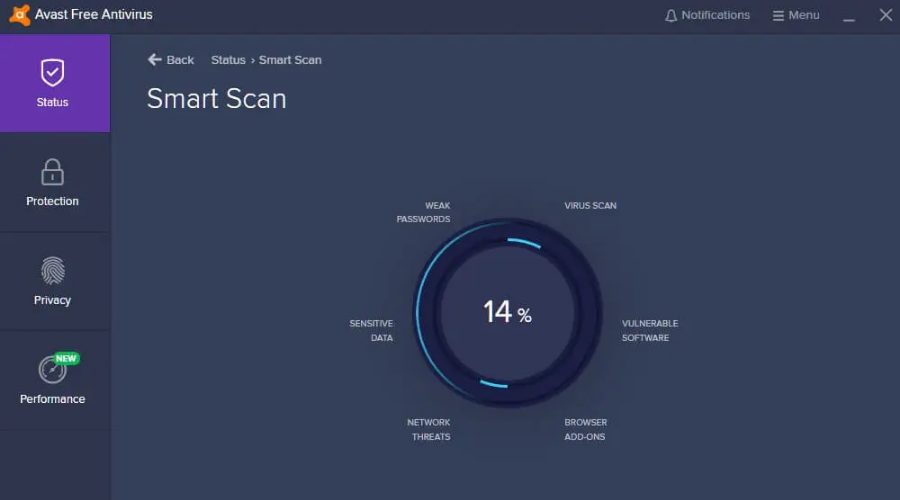
Avast’s Premium Network Security scan, included in Avast Free Antivirus, detects if your router’s TCP port is open and accessible from the outside, which makes it vulnerable to attacks.
The Wi-Fi Inspector scans your network for any vulnerabilities while identifying potential security issues that open the door to several threats.
It also checks your network’s status, the devices connected to it, and router settings, helping you secure it from attackers trying to access it or misuse your personal data.
The Wi-Fi inspector exposes weak passwords for Wi-Fi and router administration, router firmware vulnerabilities, non-encrypted and unsecured wireless networks, DNS hijacking, as well as open network ports for remote access or Telnet, among others.
It also shows you the scan results in a single dashboard, where you can see your router, discovered devices, and details like IP or MAC address, vendor, model, and DNS name, plus running services and related network ports.
Avast Free Antivirus provides alerts such as router infection and easy router access from the Internet.

Avast Free Antivirus
Scan your router and detect firmware vulnerabilities, unsecured Wi-Fi networks, DNS hijacking, and more.
- Windows XP Antivirus: 8 Top Picks That Still Support This OS
- Best Antivirus for Amazon Fire Tablet: 8 Top Picks of 2023
- Best Antivirus For Windows 10 In 2023 [Out of 25 Tested]
- How to Update Router Firmware: Use These Simple Methods
Avira Free Security – Best free solution for personal router protection
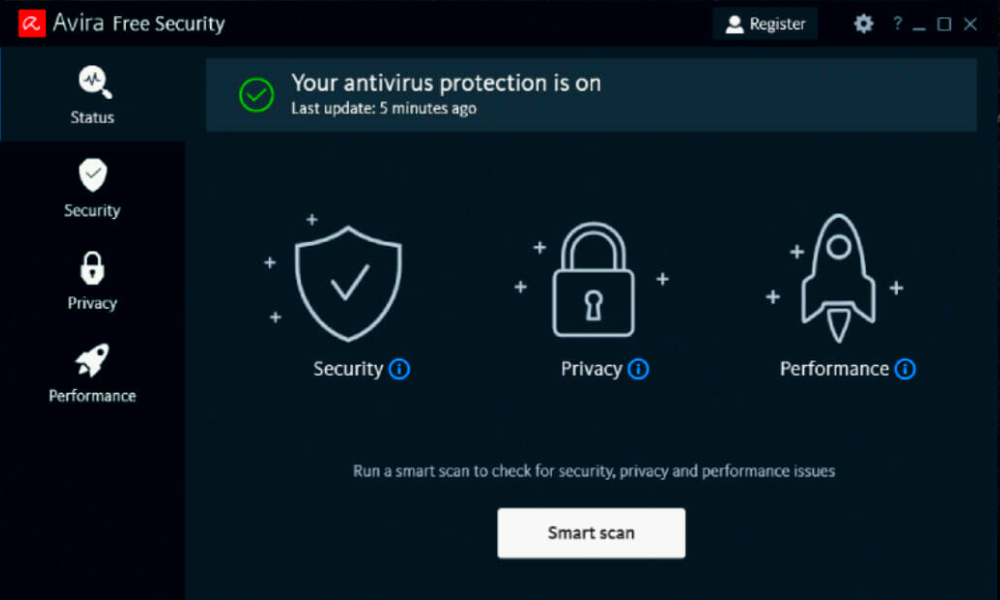
If you need only basic network protection, Avira is an extremely convenient solution. The free software offers just the essential security shield against advanced threats and malicious websites.
As you can expect from free software, Avira Fee Security is easy to set up and extremely lightweight when it comes to resources.
Besides that, Avira Free Security offers VPN protection (with a certain limit), tune-up tools, and a strong password generator.
You can always update to a more advanced solution in case you’d like a driver update feature or alerts for vulnerable accounts.

Avira Free Security
An essential security toolkit to protect your router and Windows device.
McAfee Home Network Security – Compatible with multiple router models
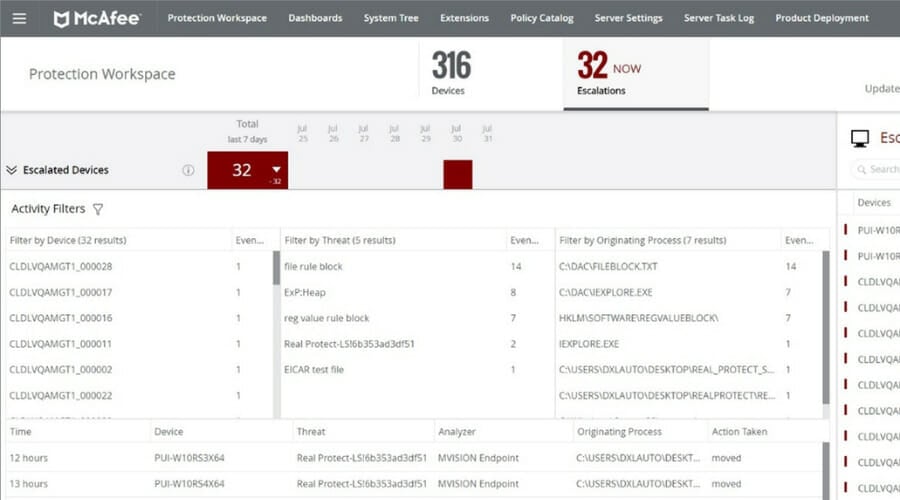
McAfee’s Home Network Security is a cloud-integrated antivirus for the router and complete protection for all devices in your home network.
This secure home platform is built-in in into your router to provide protection for every device whether they are tablets, IP cameras, smart door locks, smart lighting systems, or thermostats.
The Internet has brought with it a greater opportunity for cybercrime and attacks as hackers break into smart and connected home devices grabbing personal information hence identity thefts increase, as well as threats to your own personal security.
Features include parental controls, device identification, Internet pausing, real-time alerts on potential vulnerabilities, device fingerprinting, and Global Threat Intelligence.
That’s an always-on and updated service that protects your router and devices from threats in real time.
It is available pre-integrated in Wi-Fi routers and cable modems, such as ARRIS SURFboard, one of the first routers with SHP.

McAfee Home Network Security
Safeguard your personal information and privacy against data breaches.
NETGEAR Orbi – Best to secure your entire household
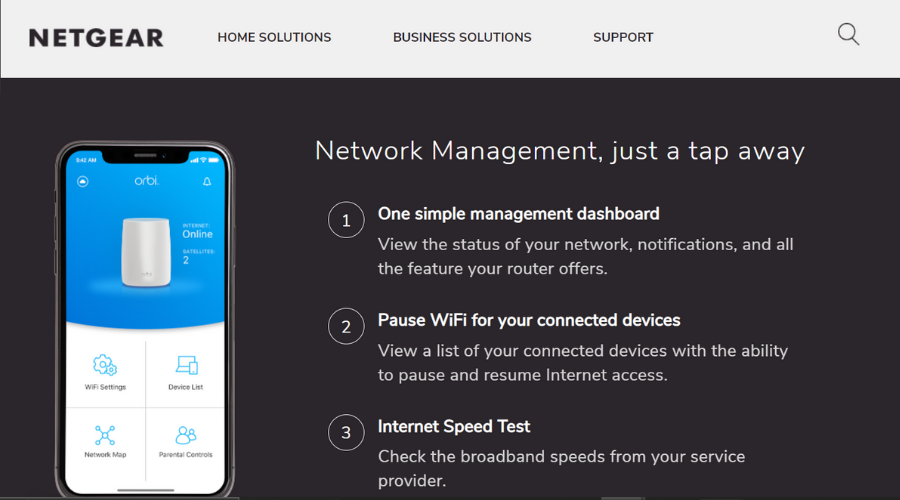
Next, we have a device that is able to keep all your Internet-enabled devices protected.
Netgear Orbi is a mesh network device that can protect all your traffic data. It is a simple and small device that you can connect directly to your cable modem.
It is compatible with any Internet service provider and allows up to 100 simultaneous connections, so all your devices are covered.
Netgear Orbi is easy to set up. You have to install the Orbi app to your phone so you get a central management board where you can manage your WiFi settings, monitor data usage, and test out speed.
You can permanently see all the devices that are connected to your network which makes suspicious activity easier to spot.
For increased security, you can activate the NETGEAR Armor security utility. Powered by Bitdefender, it comes pre-installed on the mesh and you can find it in the Orbi application in the Security section.
It protects against malware, viruses, ransomware, phishing attacks, and other emerging threats. It is easy to activate in just a few minutes, and you can benefit from a 30-day free trial and try it out.

NETGEAR Orbi
Protect and manage your traffic with this powerful mesh device with built-in antivirus.
The antivirus software solutions listed above are ideal for all those willing to increase:
✅ Router security – Most home routers have serious security flaws to worry about. Let the antivirus deal with them and continue your work.
✅ Router protection – To increase your router’s safety, you’ll find above some great solutions for the efficient protection of your entire home network.
How Can I tell my router has a virus?
Just like viruses that are hosted by your PC, routed viruses serve different purposes, hence act differently. However, they generally change up your network settings to less secure configurations that can lead to some of the following issues:
➡ Slow Internet connection
➡ Network drops
➡ Your browser redirects to malicious/suspicious websites
➡ Unfamiliar data in browser history
➡ The browser does no longer block access to unsecure websites that are not SSL protected (that don’t have the locked icon before the URL)
➡ Passwords don’t work anymore
➡ Virus message pop-ups
➡ Ransomware locks your data
How to remove a virus from your router
➡ Use the rooter scan feature in your antivirus and immediately remove any threats found
➡ Uninstall any suspicious browser extension or add-on
➡ Change your DNS settings
➡ Update your router or perform a factory reset
➡ Use a router antivirus like NETGEAR Armor to scan your whole network and quarantine/remove any suspicious threat
This wraps up our rundown on the best security options you have for your router. These can save you from serious data breaches and device problems.
Keep in mind that it is also important to use a good and stable router that has good configuration options and secure ports.
Have you tried any one of these antivirus solutions for your router before? Share with us your experience, and your favorite in the comments section below.

Как бы это дико не звучало, но есть вирусы, которые заражают не компьютеры, не планшеты или смартфоны — а ADSL-модемы. Казалось бы — зачем? На модеме не хранятся данные банковской карты, нет логинов или паролей в соцсети и иные онлайн-сервисы. На самом деле, получив доступ к роутеру, злоумышленники могут перенаправить запросы на своих DNS-серверы, а оттуда — уже на фейковые сайты с которых Вам предложат скачать «важное» обновление браузера или антивируса. Заражению подвержены следующие устройства:
D-Link: DSL-2520U, DSL-2600U
TP-Link: TD-W8901G, TD-W8901G 3.0, TD-W8901GB, TD-W8951ND, TD-W8961ND, TD-8840T, TD-8840T 2.0, TD-W8961ND, TD-8816, TD-8817 2.0, TD-8817, TD-W8151N, TD-W8101G
ZTE: ZXV10 W300, ZXDSL 831CII
Симптомы заражения устройства:
— Индикатор «Интернет» горит, но доступа на большинство страниц нет;
— Вместо поисковиков и знакомых страниц открываются непонятные сайты;
— Компьютер не получает IP-адрес от роутера по DHCP. (IP присваивается из подсети Microsoft вида 169.254.ххх.ххх).
Как работает вирус:
Всё начинается с того, что Ваш компьютер или ноутбук инфицируется вирусом Win32.Sector, который уже скачивает и запускает Trojan.Rbrute который, в свою очередь, начинает поиск в сети ADSL-роутеров и подроб пароля. В случае удачного результата — он подменяет в конфиге роутера адреса DNS-серверов на свои. Затем все компьютеры, подключенные к нему попадают на специальную страницу, с которой скачивается Win32.Sector.
Как удалить вирус Trojan.Rbrute из роутера?
Процесс лечения прост:
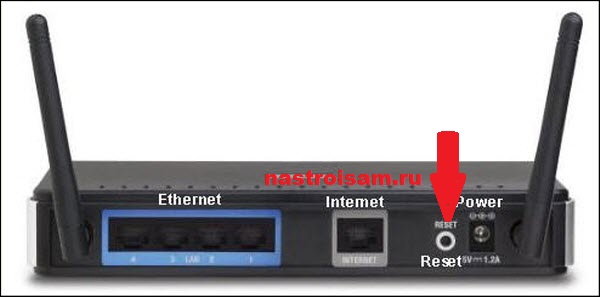
1. На задней панели роутера находим кнопку Reset и зажимаем её на 10-15 секунд, до тех пор, пока устройство не моргнет всеми индикаторами и не уйдет в перезагрузку. Таким образом Вы bСбросите модема на заводские настройки.
2. Заходим в веб-интерфейс и меняем пароль на доступ со стандартного «admin» на какой-нибудь свой. Желательно посложнее.
3. Заново настраиваем подключение к сети Интернет и проверяем доступ.
4. С официального сайта производителя модема скачиваем последнюю версию прошивки для Вашей аппаратной версии(которую) и обновляем ПО. В последних версиях прошивки производитель закрыл баг.
5. После этого скачиваем последнюю версию антивирусного сканера DrWeb CureIT и проверяем им всю систему.
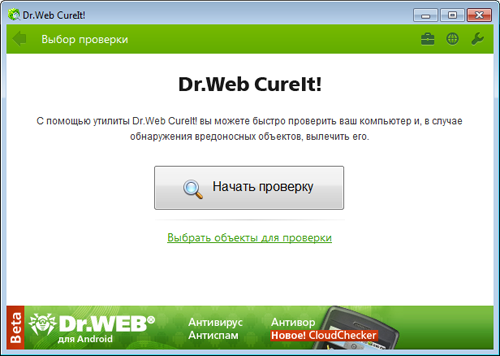
Последний пункт надо сделать обязательно, чтобы ни вирус-носитель Win32.Sector, ни сам Trojan.Rbrute не остались на жестком диске.